Trace: Edit Photo Mask
This section explains how to adjust a color photograph in Trace mode if the capture is not perfect, for example when some areas need to be masked or manually corrected.
Specify Masked Area
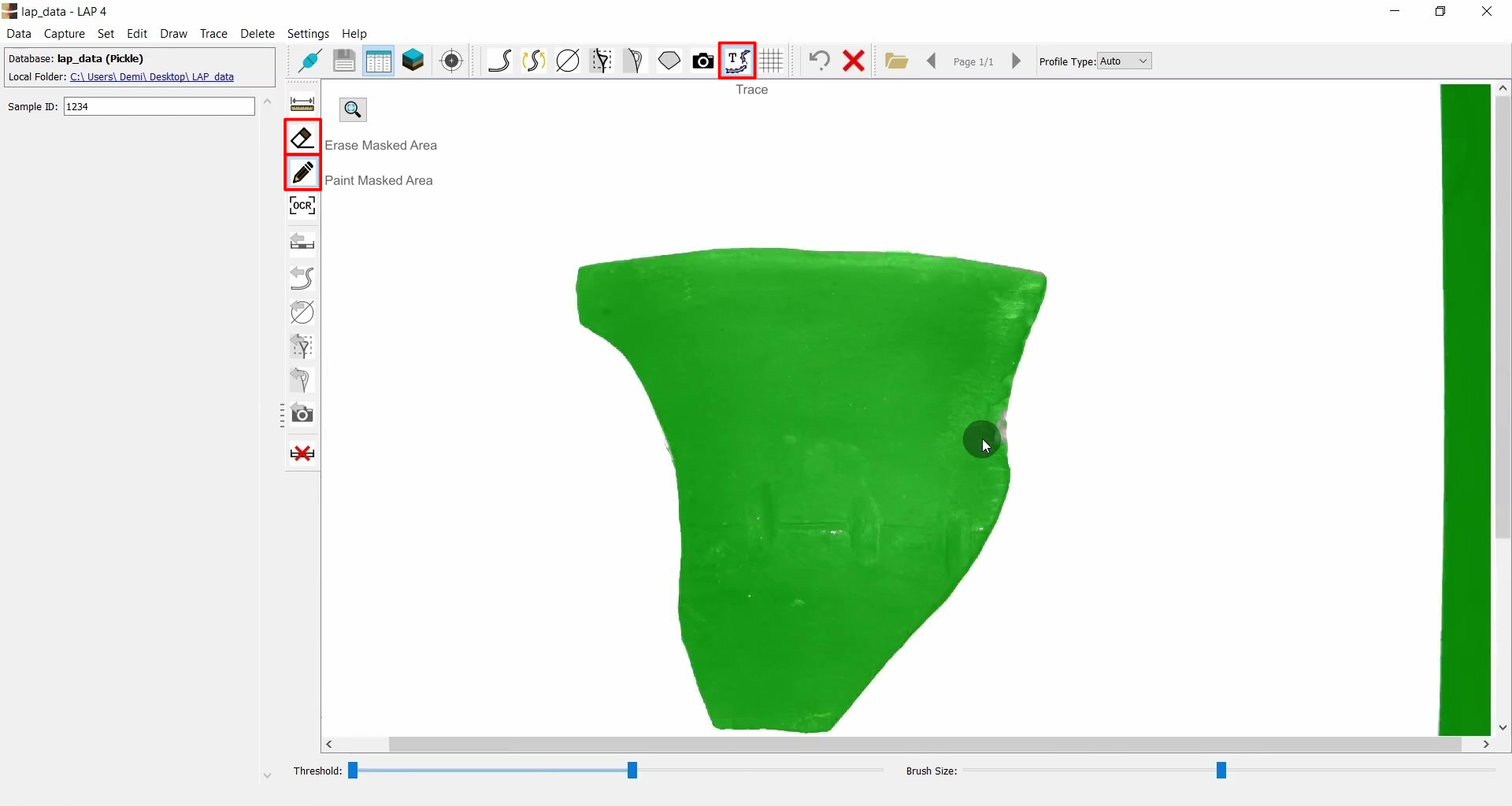
- Select the photograph and go to Trace Mode (
 ).
). - Adjust the Threshold to fine-tune the mask.
- Manually modify the mask using the Paint Masked Area (
 )
and Erase Masked Area (
)
and Erase Masked Area ( ) functions.
Finalize the Mask
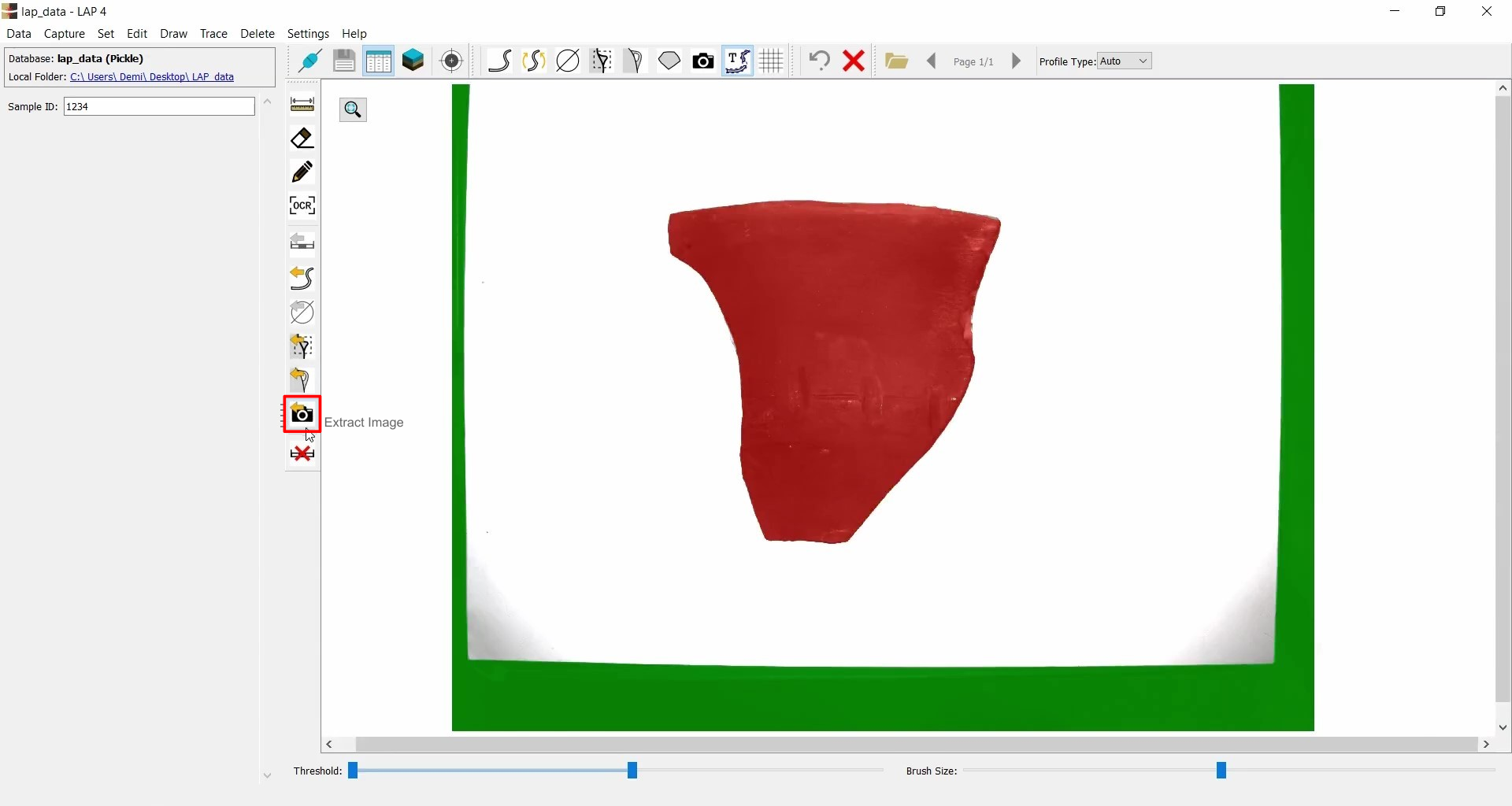
- After editing, select the masked area and click Extract Image (
 ) to import the masked photo into the drawing.
 - Optionally, delete the original image.
Alternative Method: Direct Load into Trace Mode
- Switch to Capture Photo mode.
- Click Trace to automatically load the photo into Trace mode.
- Modify the mask as before.
- Then extract it into the drawing.
