Create New Database
At application startup, you select the data source the software will work with. There are three principal options:
- Memory database - temporary, forgotten after closing the application.
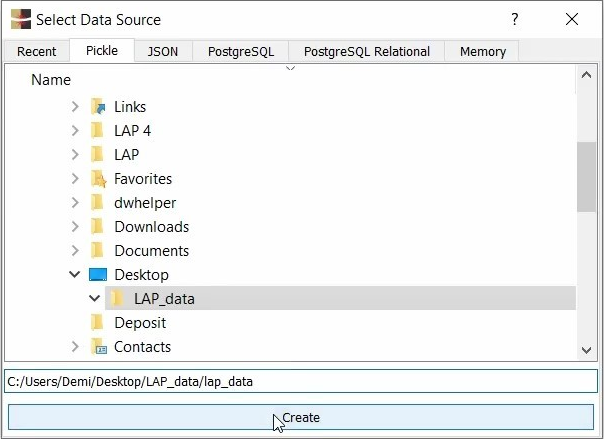
- Database in a standard folder/file structure - the most common type. There are two supported file formats: Pickle and JSON. Choose the default Pickle type for most tasks - it's faster and smaller. JSON, on the other hand, is a text-readable format, so it might come in handy if you need to access the data from a custom software application.
- PostgreSQL database - advanced, covered in a dedicated video.
Let's create our first database in Pickle format:
ℹ️ Note: While you are working with the software, the database is kept only in memory until you explicitly save it. This can be changed by enabling Auto save after every drawing in the Data menu.
💡 Tip: In the unlikely event of database corruption, you can restore a previous version from the subfolder _backup of the main storage folder.
For more information on starting a basic database, refer to the support video Quickstart - section New Database.